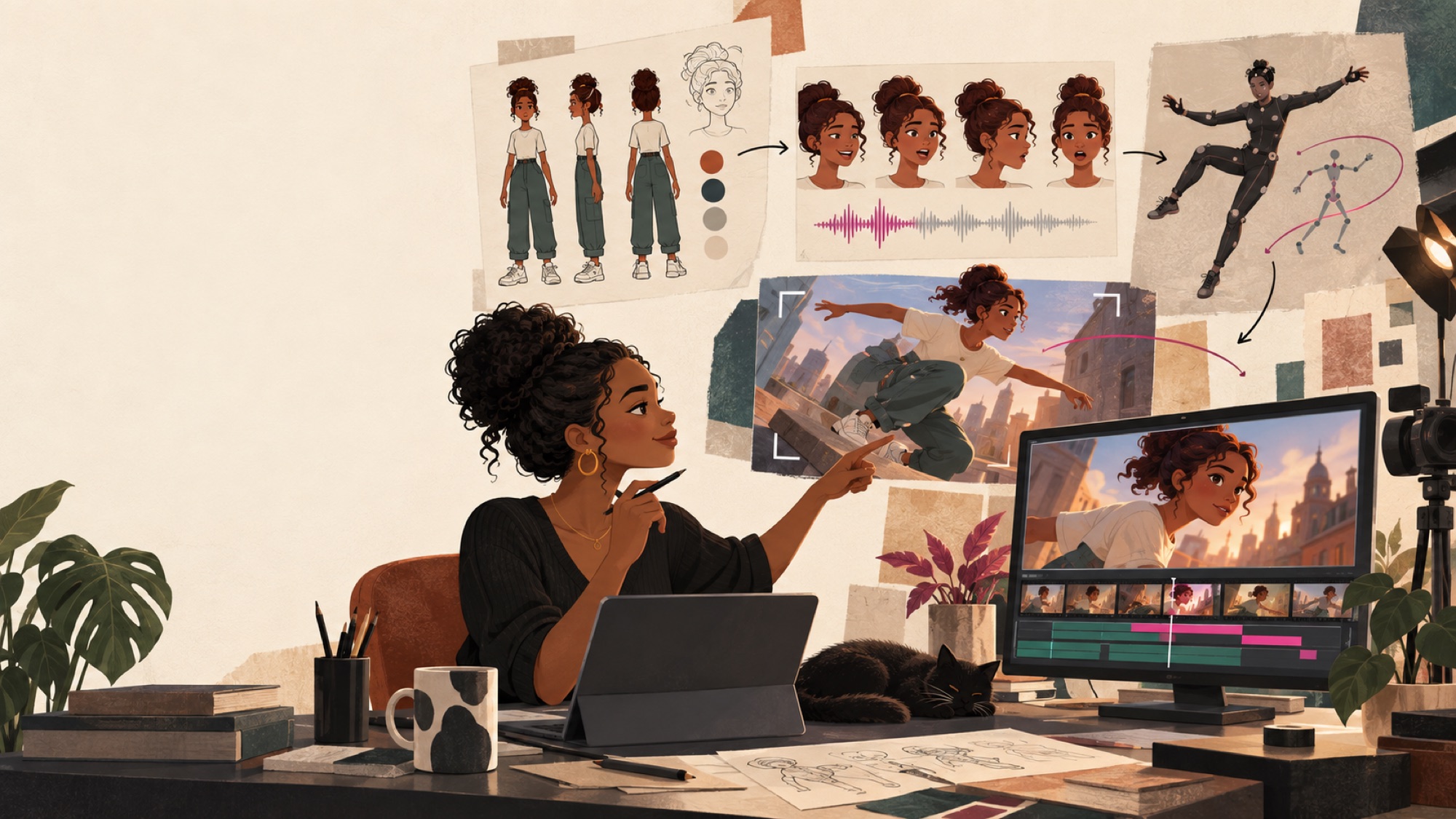
What does your character need to do?
Creating an animated character usually involves five separate jobs. The right workflow depends mostly on whether your character needs to talk, physically perform, or move through a cinematic scene.
Select a card:
Use a talking-character or avatar tool — for narrators, interview-style scenes, instructional videos, and characters speaking directly to the camera.
Animates a character image using recorded or generated speech. Free to start experimenting; review current pricing before subscribing.
Voice generation and lip-sync in one platform. Create a persistent character identity from reference images, select or generate a voice, and produce variations with different angles, clothing, and backgrounds. Available through paid ElevenCreative plans.
Stock and custom AI avatars, text-to-speech, voice cloning, and generated video — inside a complete transcript-based editor. Generate or import a talking character, then edit dialogue, captions, audio, visuals, and pacing in the same project. Free plan with limited media time and AI features.
Record yourself performing the scene, then provide an image or video of the character. Act-Two transfers your expressions, speech, gestures, and body movement onto that character.
This is different from ordinary image-to-video generation because your recorded performance controls what the character does. Raise your hand, lean forward, pause, or change your expression, and the character can reproduce it.
Use a cinematic image-to-video or scene-building platform: Runway, Kling AI, Google Veo, or LTX Studio. They're better for physical action — but not necessarily best for extended dialogue.
Where LTX fits
LTX may be one of the strongest middle-ground options between a single-purpose generator and a conventional video editor. It's designed around the scene or sequence, not merely the individual clip — so it matters most when the challenge is holding one character, environment, lighting style, and voice across several related shots.
The underlying video-generation model, available through an API, open weights, or local deployment. Emphasizes native multi-shot generation — connected wide, medium, and close-up shots — and synchronized audio-video.
The creator-facing application most filmmakers, educators, and creators would actually use: text-, image-, and video-to-video, reference Elements, dynamic storyboarding, camera control, keyframes, sound design, selective editing, retakes, and a timeline.
| Production need | Best fit / LTX's role |
|---|---|
| Talking head or narrator | Hedra or ElevenLabs remains more specialized |
| Precise actor-driven performance | Runway Act-Two remains the clearer choice |
| Character moving through scenes | LTX competes directly with Runway, Kling, and Veo |
| Character consistency | LTX Elements and reference controls can help preserve characters, locations, and objects |
| Storyboarding | LTX can turn a script or concept into scenes and a dynamic storyboard |
| Multi-shot sequences | LTX-2.5 can generate connected wide, medium, and close-up shots while attempting to maintain character, setting, lighting, and voice |
| Editing generated shots | LTX provides keyframes, camera controls, selective editing, retakes, sound design, and a timeline |
| Transcript-led editing | Descript remains the better specialist |
| Production planning and review | ChatGPT Work remains useful for scripting, shot planning, prompt development, continuity analysis, and coordinating assets |
LTX STUDIO PRICING Free plan with 800 one-time credits, personal use only. Lite $15/mo, Standard $35/mo, Pro $125/mo, lower when billed annually. Standard adds commercial-use licensing, consistent Elements, AI storyboards, and more generation models — check current terms before using it for monetized courses, YouTube channels, client projects, or business content.
Use Magnific when the problem isn't animation but visual quality. It began as a well-known creative upscaler; Freepik has since been rebranded as Magnific, and the platform now combines image and video generation, image and video editing, audio tools, stock assets, collaborative workflows, and multiple third-party models. (Legacy upscaler subscriptions can remain at magnific.ai; the broader platform lives at magnific.com.)
A weak reference image often produces a weak animation. The Image Upscaler sharpens and enlarges a reference before you send it to Hedra, Runway, Kling, or another video tool. It helps when the source has:
- Soft facial detail
- Compression artifacts
- Low resolution
- Weak hair or fabric texture
- Slightly muddy eyes or skin detail
- A background that needs cleanup
Editing, retouching, background removal, expansion, and reimagining help when a generated still is almost right. For example:
- Generate the character in ChatGPT Images, Gemini, or Midjourney.
- Use Magnific to improve resolution and facial detail.
- Approve that polished image as the canonical reference.
- Use the same reference across Runway, Kling, Hedra, or Veo.
Every regeneration from scratch is another chance for the face to change. Improving an approved image is often safer.
The Video Upscaler can take generated footage up to Ultra HD 4K — useful once you've already picked the winning take.
Don't upscale every experimental generation. Video generation is already expensive, and enhancement adds another processing step. Save it for the shots you'll actually use.
For a recurring character — or especially a real person — start conservatively. An image can look technically sharper while quietly changing the eyes, nose, mouth, face shape, hairline, or skin texture.
- “Can I make this reference image cleaner without rebuilding it?”
- “Can I get more usable detail from this generated image?”
- “Can I upscale the final AI clip?”
- “Can I access several image/video models from one creative platform?”
Performance capture or long talking-character scenes are more direct in Runway Act-Two, Hedra, ElevenLabs Avatars, or Descript. Think of Magnific as a quality-control and multi-model production layer around those tools.
Premium from $20/mo, lower billed annually. Higher tiers add credits, more upscalers, and unlimited-model allowances.
Not a character-animation model like Hedra or Runway. It coordinates the production: upload your script, character images, audio, clips, and music, and it works with those files, creates supporting assets, analyzes results, and — when the necessary media tools are available — performs many of the technical editing tasks.
What it can help with · 18 tasks
- Rewrite and time the script
- Create a storyboard
- Build a shot list
- Write prompts for each generated scene
- Create character-reference images
- Track clothing, props, locations, and continuity
- Extract frames from video clips
- Create contact sheets to compare shots
- Identify facial, wardrobe, lighting, or continuity problems
- Compare alternate takes
- Recommend precise cuts using timestamps
- Create an edit-decision list
- Trim, reorder, and combine clips
- Reframe for 16:9, 9:16, or square
- Add stills, title cards, captions, simple transitions
- Replace, extract, sync, or adjust audio
- Compress and convert video files
- Render a rough cut when media tools are available
In the ChatGPT desktop app, Computer Use can also see and operate approved desktop applications — which may let it help with repetitive tasks inside video editors, depending on your computer, permissions, and software. It's an AI producer and assistant editor that can sometimes complete the technical edit, not a replacement for every advanced feature in Premiere or DaVinci Resolve.
Use it when the spoken words determine most of your editing decisions. Delete a sentence from the transcript and the matching audio and video disappear.
Also does · 12 things
- Generate and style captions
- Remove filler words and repeated takes
- Shorten long pauses
- Improve audio with Studio Sound
- Remove backgrounds without a green screen
- Adjust eye contact
- Generate or repair short sections of speech
- Create clips and highlights
- Add stock footage, images, music, transitions
- Generate show notes, chapters, summaries, YouTube descriptions
- Generate images and video with AI tools
- Create videos with stock or custom AI avatars
Includes Underlord, an AI video co-editor that performs editing, design, and repurposing tasks from written instructions.
Where LTX fits in end-to-end production
LTX Studio lets more of the production happen in one place: develop scenes, build a dynamic storyboard, establish characters and locations with Elements, generate connected shots, adjust camera and keyframes, retake or selectively edit, add sound design, and arrange it all on a timeline.
LTX doesn't replace the specialists: Hedra and ElevenLabs stay more direct for talking characters, Act-Two for actor-driven performance, Descript for transcript-led editing, and ChatGPT Work for scripting, prompts, continuity review, and coordination.
- Develop the script, storyboard, character sheet, and shot list in ChatGPT Work.
- If the project is sequence-driven, use LTX Studio to turn the script into scenes, a dynamic storyboard, and connected generations.
- Generate specialized character shots in Hedra, ElevenLabs, Descript, Runway Act-Two, Kling, Veo, or LTX as appropriate.
- Bring the clips back to ChatGPT Work for continuity review and technical preparation.
- Assemble dialogue-heavy footage in Descript by editing the transcript.
- Use Descript for captions, audio cleanup, filler-word removal, and social clips.
- Use Magnific for selective image cleanup or final video upscaling when needed.
- Move to CapCut, DaVinci Resolve, Final Cut Pro, or Premiere only for sophisticated effects, color, compositing, or timeline control.
Build your workflow
Answer five questions and get a personalized tool stack.
Consistency begins before animation
The animation platform cannot rescue an inconsistent character design. Build a character-reference sheet first. Tap the markers to see what each part is for:
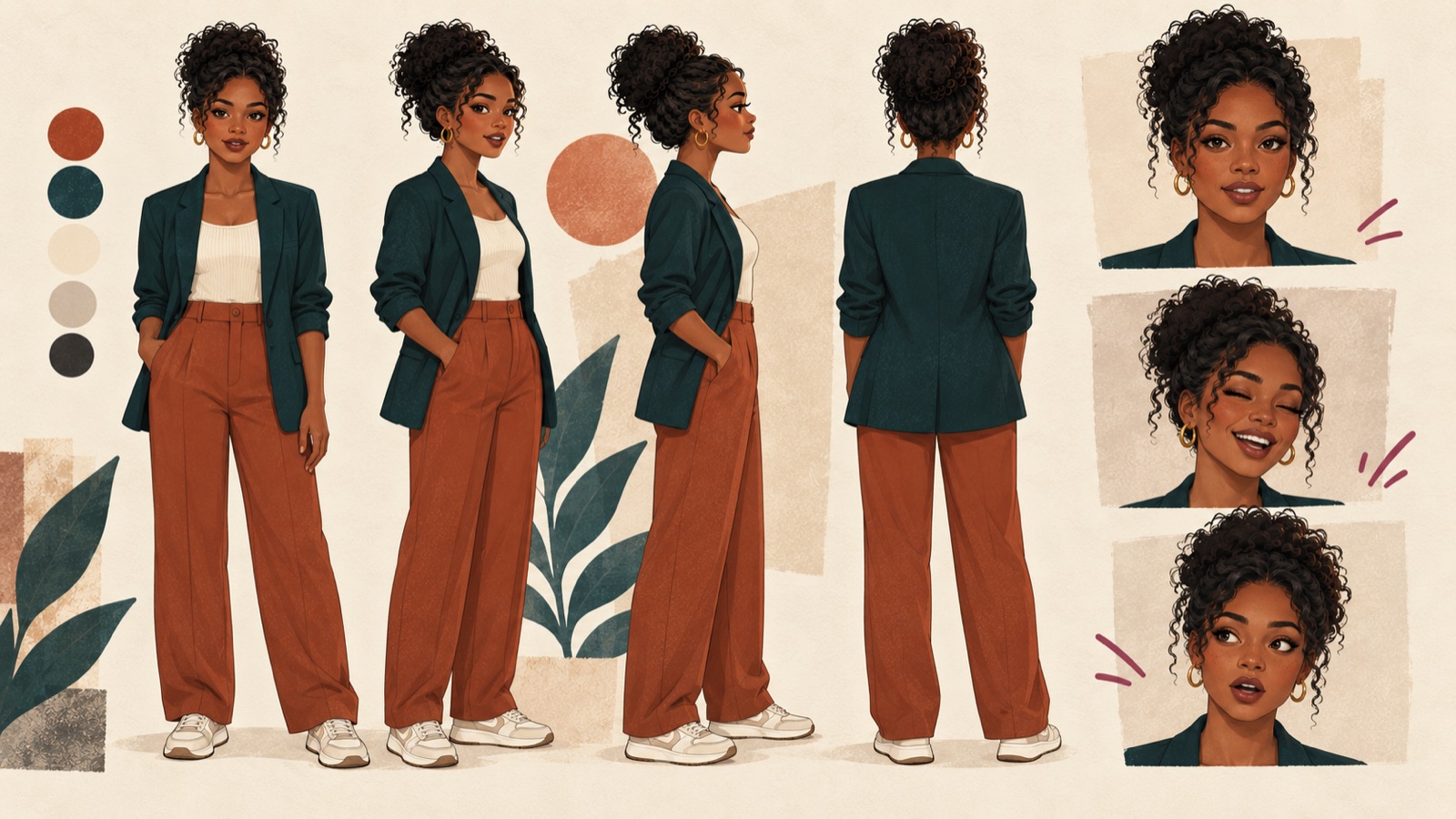
Keep lighting, proportions, clothing, and visual style consistent across every reference image. Google's Nano Banana 2 (via the Gemini app) supports multiple reference images and is built to hold a character's appearance. ChatGPT Images and Midjourney also work for creating and revising the sheet.
Once you've picked the strongest reference, improve that approved image instead of generating the character again. Magnific's Image Upscaler adds resolution and detail while letting you control how closely the result resembles the source — keep creative reconstruction low so identity-defining features don't drift.
Runway calls them references, Kling calls them Elements, LTX Studio uses Elements and reference controls, and Google may use ingredients or reference images. The idea is identical: give the model approved images to follow instead of letting it invent a new face, hairstyle, or outfit per clip.
Can you spot the inconsistency?
A clip can look impressive at first glance and still break continuity once it's placed beside the next shot. Tap the markers to see the checks a continuity pass should catch:
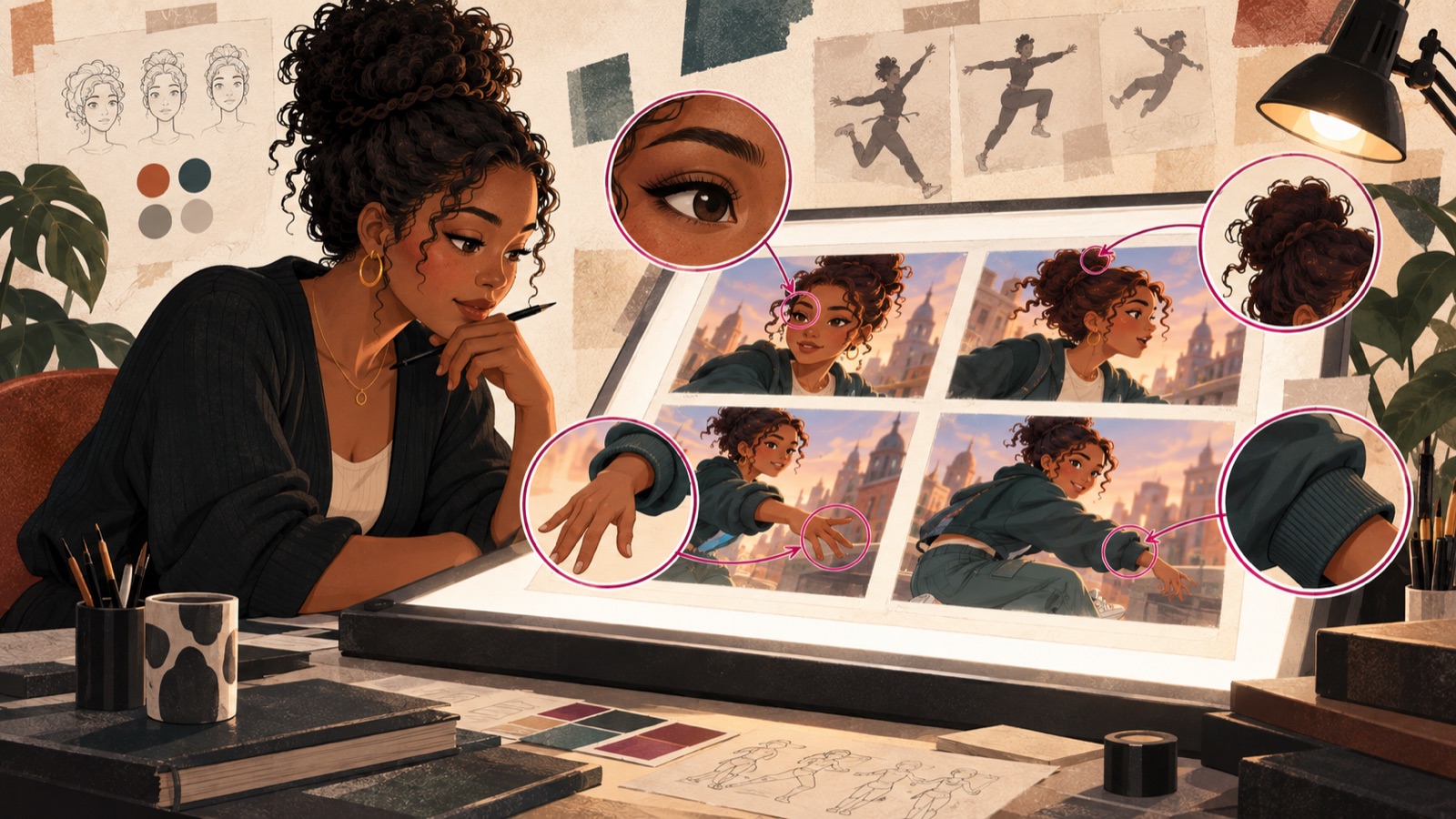
It works best when the face is clearly visible in a close or medium shot.
Generate a three- to five-second test first, and check every item.
A practical low-cost workflow
You don't need to subscribe to every platform at once. Work down the list — the IF steps only apply when they match your project.
- 01Develop the script and storyboard with ChatGPT Work, Gemini, or Claude.
- 02Create the character sheet using ChatGPT Images, Gemini, or Midjourney.
- 03IF the approved character image is soft, compressed, or too small, refine it with Magnific Image Upscaler before using it as the animation reference.
- 04Use ChatGPT Work to turn the script into a shot list and write a separate animation prompt for each shot.
- 05Test one short scene using the free credits or trial allowance on your chosen video platform.
- 06IF the character mainly talks, try Hedra, ElevenLabs Avatars, or Descript.
- 07IF it needs to reproduce a physical performance, try Runway Act-Two.
- 08IF it needs cinematic movement, test Runway, Kling AI, Google Veo, or LTX Studio. Choose LTX when storyboard-to-sequence continuity matters more than one isolated shot at a time.
- 09IF the project has several connected scenes, consider building the storyboard, character/location Elements, multi-shot sequences, camera moves, and rough timeline directly in LTX Studio.
- 10Bring the clips back into ChatGPT Work for continuity review, shot comparison, trimming, reframing, or rough-cut assembly.
- 11Once you've chosen the shots you'll actually use, consider Magnific for image cleanup or final upscaling — not on every test generation.
- 12For dialogue-heavy editing, captions, audio cleanup, and social clips, use Descript.
- 13For advanced effects, color, compositing, or detailed timeline work, use CapCut, DaVinci Resolve, Camtasia, Final Cut Pro, or Adobe Premiere.
Recommended production pipeline
First, the shorthand — what each tool is actually for:
Make one character talk convincingly.
Combine a reusable character with generated voice and lip-sync.
Transfer a specific human performance.
Generate strong individual cinematic shots.
Develop a storyboard and produce connected, consistent scenes in one workspace.
Clean up references, upscale final clips, and reach several models from one platform.
Edit narration, dialogue, captions, audio, and speaking videos through the transcript.
Coordinate the production, develop prompts, inspect continuity, compare takes, and plan or assemble the edit.
Then the full pipeline, stage by stage. Prices, credit systems, and model names change frequently — always check current pricing before committing to a stack.
- ChatGPT Work for planning, visual development, continuity, and rough-cut preparation
- One character-animation tool for specialized dialogue or performance shots
- LTX Studio when you want to move from storyboard to several connected, consistent scenes without leaving one production environment
- Magnific when a reference image or selected final clip needs cleanup or upscaling
- Descript for dialogue editing, captions, and audio cleanup
- A traditional editor only when the project needs more advanced finishing
Which part would you most want help with?
A practical course walking the whole process — from designing a consistent character to producing and editing a finished scene. Character-sheet templates, reusable prompts, a continuity checklist, a shot-planning worksheet, animation demonstrations, and a complete production workflow using ChatGPT Work, LTX Studio, specialized animation tools, Magnific, and Descript.